
How to get your dog’s free AKC Points Progression report
By Tania, Co-Founder of Happy Dog League Published October 6, 2026
AKC keeps a running record of every title your dog has earned, plus the Qs and points sitting toward the next ones, and you can look at it for free. It’s called Points Progression, and there are two ways you can get to it: through your own AKC account or through the AKC Shop.
Below are both ways, how to save the report, and how to bring it into Dog Title Tracker so you don’t have to type your dog’s whole history in by hand.
One thing to know first. Dog Title Tracker is independent. We aren’t part of the AKC and the AKC doesn’t endorse us, so your AKC account is always the official record, and the tracker is the record you keep for yourself.
What the report shows
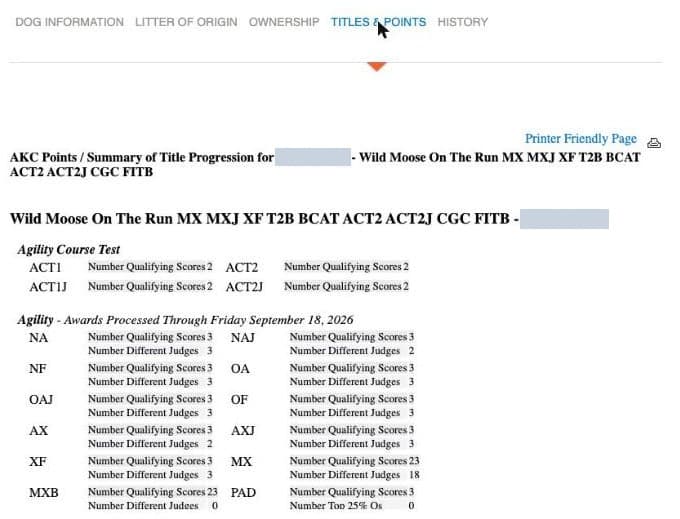
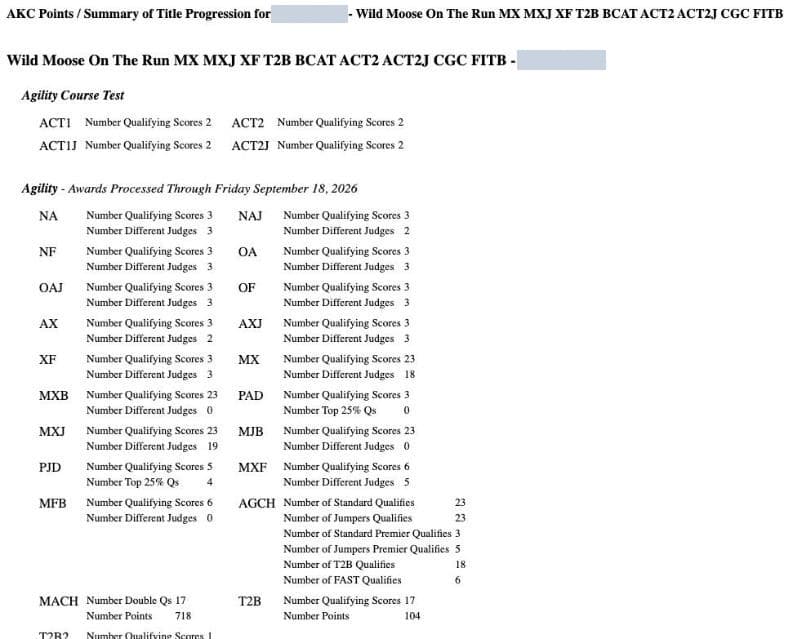
The report is a plain page with your dog’s registered name at the top and a block for each sport. For agility it lists every title with the number of qualifying scores and the number of different judges. Championships get their own lines, so Moose’s report shows his MACH progress as 17 double Qs and 718 points, and his Fast CAT section shows the points he has toward each title.
Each sport also has a line that says “Awards Processed Through” and a date. That date matters more than it looks. When I pulled Moose’s report on October 6, 2026, agility was processed through September 18 and Fast CAT through September 11, so anything he ran after those dates wasn’t in there yet. If last weekend’s Q is missing, that’s usually why.
Before you start
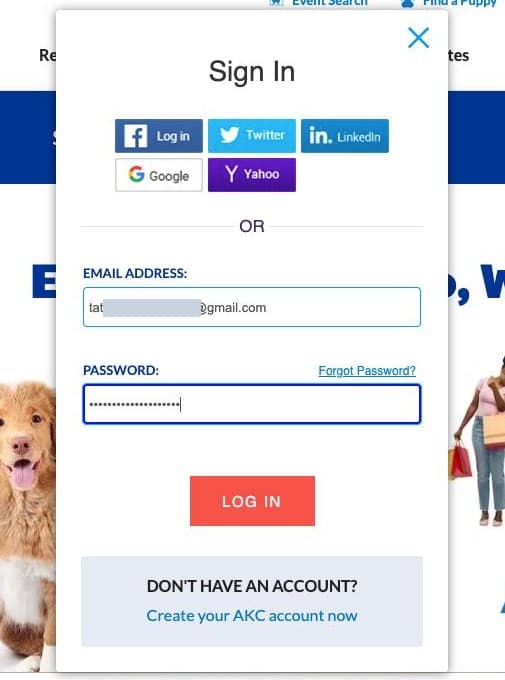
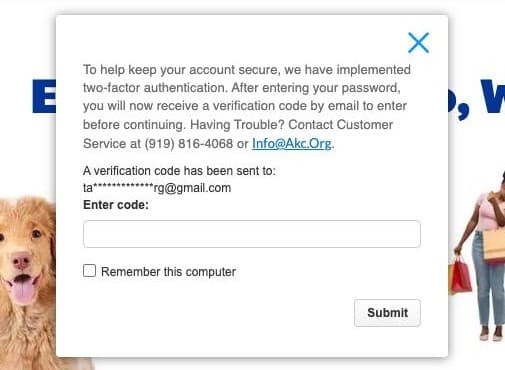
You need an AKC account, which is free, and you need your email open in another tab. Every time you sign in, AKC emails you a verification code and waits for you to type it in. If you’re on your own computer, check the “Remember this computer” box on that screen and it should stop asking.
Two ways to open the report
There are two paths to the same report, and both work on a computer or a phone. Use whichever one you find first.
Start from your own AKC account
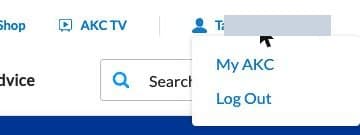
- Sign in at akc.org, click your name at the top, and choose My AKC.
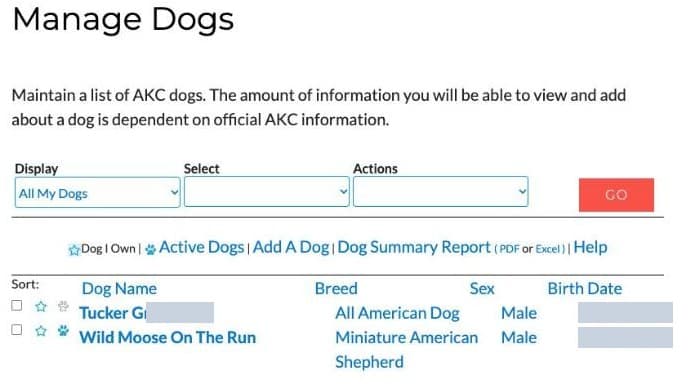
- Click Manage Dogs.
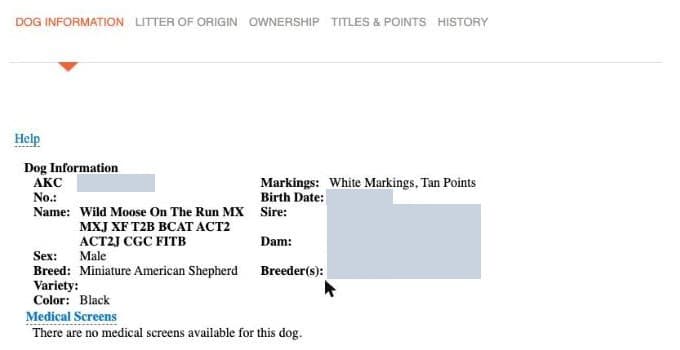
- Click your dog’s name. It can look like nothing happened, but the dog’s record has opened further down the same page, so scroll down to find it.
- Open the Titles & Points tab. Your dog’s points are already showing here.
- Click Printer Friendly Page to open the report on its own, without the menus around it. On a phone you may need to scroll to the right to see the link.

Or start from the AKC Shop
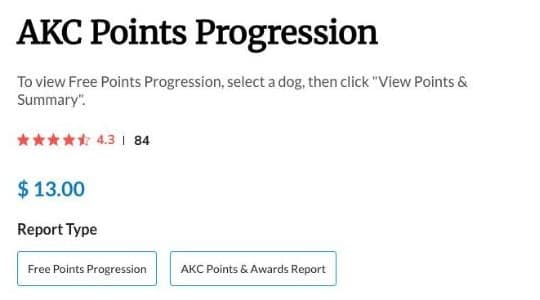
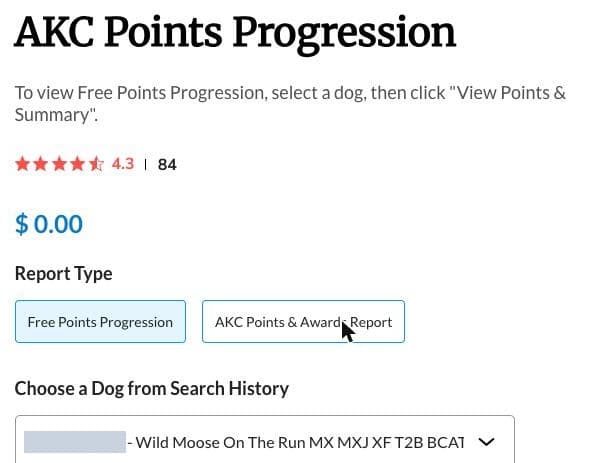
The Shop page offers two report types. Free Points Progression costs nothing, and the AKC Points & Awards Report is a paid report that costs $13.00. If you see $13.00 when the page opens, that only means the paid report is the one selected.
- Go to the AKC Points Progression page in the AKC Shop and sign in.
- Under Report Type, click Free Points Progression, and the price shows $0.00.
- Pick your dog under Choose a Dog from Search History. If your dog isn’t in the list, use the Search a Dog link right below it.
- Click View Points & Summary.
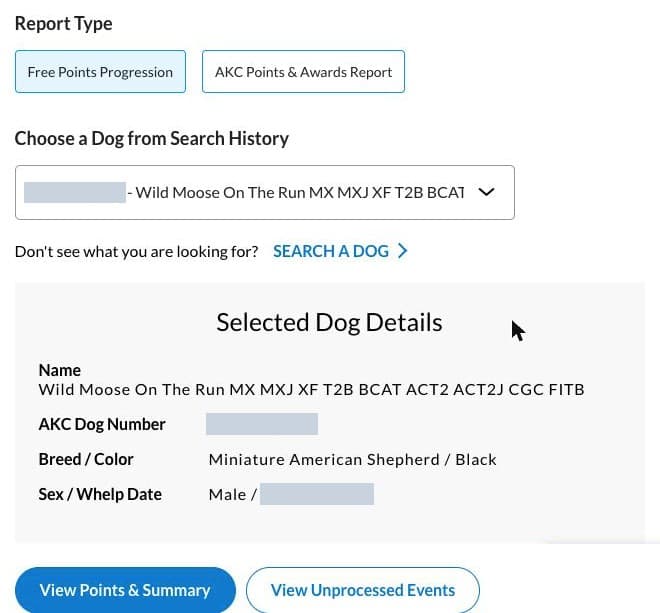
Either way, the report opens in a new window. If nothing seems to happen after that last click, check whether your browser blocked a pop-up.
Save the report
Once the report is open, you can keep it as a PDF or as screenshots, and the import reads both.
As a PDF
Print the page (Ctrl+P on Windows, Cmd+P on a Mac) and choose Save as PDF where you’d normally pick a printer. There’s no export button on the report itself, so printing to a PDF is the way to save it. This is easiest on a computer.
As screenshots
Take pictures of the whole report, as many as it takes to cover every line. This is the easier choice on a phone, and it works fine on a computer too.
Import it into Dog Title Tracker
The import is part of adding a new dog, so it’s the quickest way to start with your dog’s real history already in place.
- On your dashboard, choose Add New Dog and fill in your dog’s details.
- When it asks whether your dog has completed titles, say yes, pick AKC, and choose Auto import.
- Add your file with Choose PDF File or Choose Screenshots. You can also drag the file in or paste it.
- Look over the preview. It lists the titles the tracker found, both the finished ones and the ones still in progress, and nothing is added to your dog until you confirm.
- Click Finish, and your dog starts with the titles already earned and the championship progress from the report.
If the preview has a line that says “Skipped (not in catalog)” with a few title letters after it, don’t worry. Those are titles the tracker doesn’t cover yet, and everything else on your report still comes in. We are working on adding all of the AKC dog sports, and it takes time to get each one right.
We keep the file you upload for 90 days in case an import needs fixing, and then it’s deleted.
If something goes wrong
“No text found in this PDF.” The file is a picture of the report, which happens when it was scanned or photographed. Go back to the report, use Print and Save as PDF, and upload that one. Screenshots work too.
Some titles are missing from the preview. With screenshots, a row that got cut off between two pictures can’t be read. Take them again with a little overlap so every line appears whole at least once.
A recent trial isn’t there. Check the “Awards Processed Through” date for that sport. If the trial was after it, AKC hasn’t added it yet, and you can enter those runs yourself once your dog is set up.
Still stuck?
Send us a note and tell us what you saw. We read every one.
Questions people ask
Is the AKC Points Progression report free?
Yes. On the AKC Shop page, choose "Free Points Progression" and the price shows $0.00. The $13.00 option is a separate report, the AKC Points & Awards Report, that AKC emails to you.
Why isn't my latest Q on the report?
Each sport on the report has an "Awards Processed Through" date, and runs after that date haven't been added yet. The dates differ by sport, so agility and Fast CAT can be a week or more apart.
Is Dog Title Tracker connected to my AKC account?
No. The tracker is independent and never signs in to AKC for you. You bring the report over yourself as a PDF or screenshots, and your AKC account stays the official record.
Can I do the whole thing on my phone?
Yes. Open the report from your AKC account or from the AKC Shop, take screenshots of all of it, and upload them with Choose Screenshots.
Got your report? Put it to work.
Add your dog, upload the report, and you’ll see the titles already earned and how far along the next ones are. It’s 3 months free, then $5 a month.
Tracking AKC titles across sports? See the AKC title tracker, the AKC agility tracker, or the Fast CAT calculator.
Quick Disclaimer
Dog Title Tracker is an independent tracking tool and is not affiliated with, endorsed by, sponsored by, or officially connected to AKC or any other dog sport organization.
Official titles, points, awards, eligibility, and records should always be verified directly with the appropriate organization. AKC’s website can change, so a button may be named or placed a little differently from what you see here.

About the Author
Tania, Co-Founder of Happy Dog League
Tania writes every article on the Happy Dog League blog. She started dog sports with Tucker in 2021 and now competes with Moose, a Miniature American Shepherd, in AKC, UKI, and ASCA agility. Together they also participate in Fast CAT, Barn Hunt, dock diving, and herding classes, and Rally is next on their list. Tania regularly attends seminars and workshops to keep learning about different dog sports and brings that firsthand experience to her writing and the title tracker.
More about Tania